Access control system and ticket scanners for eventsScan tickets. Let guests in. Your event can begin.
QR codes from a phone or printout, checked in seconds. Your staff are trained in five minutes.
- Rent scanners instead of buying
- Delivered and set up
- Real-time check-ins
- Trained in 5 minutes
How does your
entry work?
Ticket in front of the scanner, result after a beep. There are no more steps than that at the gate.
Rent scanners instead of buying
Rugged Zebra handheld scanners for the duration of your event. We deliver them preconfigured, brief your team and collect them again afterwards. They read cleanly even in rain, cold and backlight.
QR codes from phone or printout
In a wallet, as a PDF or on paper: every valid tickee ticket is read.
Side entrances via app
At smaller doors, the scanning app also runs on your team’s smartphones. You can combine rented scanners and the app as you like.
Trained in 5 minutes
One screen, three states. Even temporary staff are confident at the gate after the briefing.
You decide how it runs.
Two modes, configurable per entrance. You can switch at any time, even mid-operation.
- Configurable per entrance, even while your event is running
- All check-ins come together in one place in real time
Fast mode
Scan and in. For the main entrance, when lots of guests arrive at once.
Confirmation mode
Your team confirms each entry individually. For areas where precision matters.
The right entrance
for everyone.
VIP, crew, press, day visitors: every group gets its own route, with no debates at the gate.
Entrances to plan
You decide which ticket is valid at which gate. VIP, crew and press are kept separate from the audience.
Separate areas
Backstage, grandstand, hospitality: each area has its own permissions, checked at the scan.
Groups together
You let family and VIP tickets in with a single action instead of looking up each ticket individually.
Time-controlled
You decide who may enter from when. Entry windows for early birds or time slots to spread the rush.
You see everything live.
While your event is running, you can see on your phone how full it is and where there are problems.
- How many guests are in, updated in real time
- Which entrance is moving quickly and where things are backing up
- All figures on your phone or tablet, no laptop needed backstage
- Export reports as a file after the event
This is what access control looks like in the Organiser.
The figures from the gate and your team’s devices, just as you see them during the event.
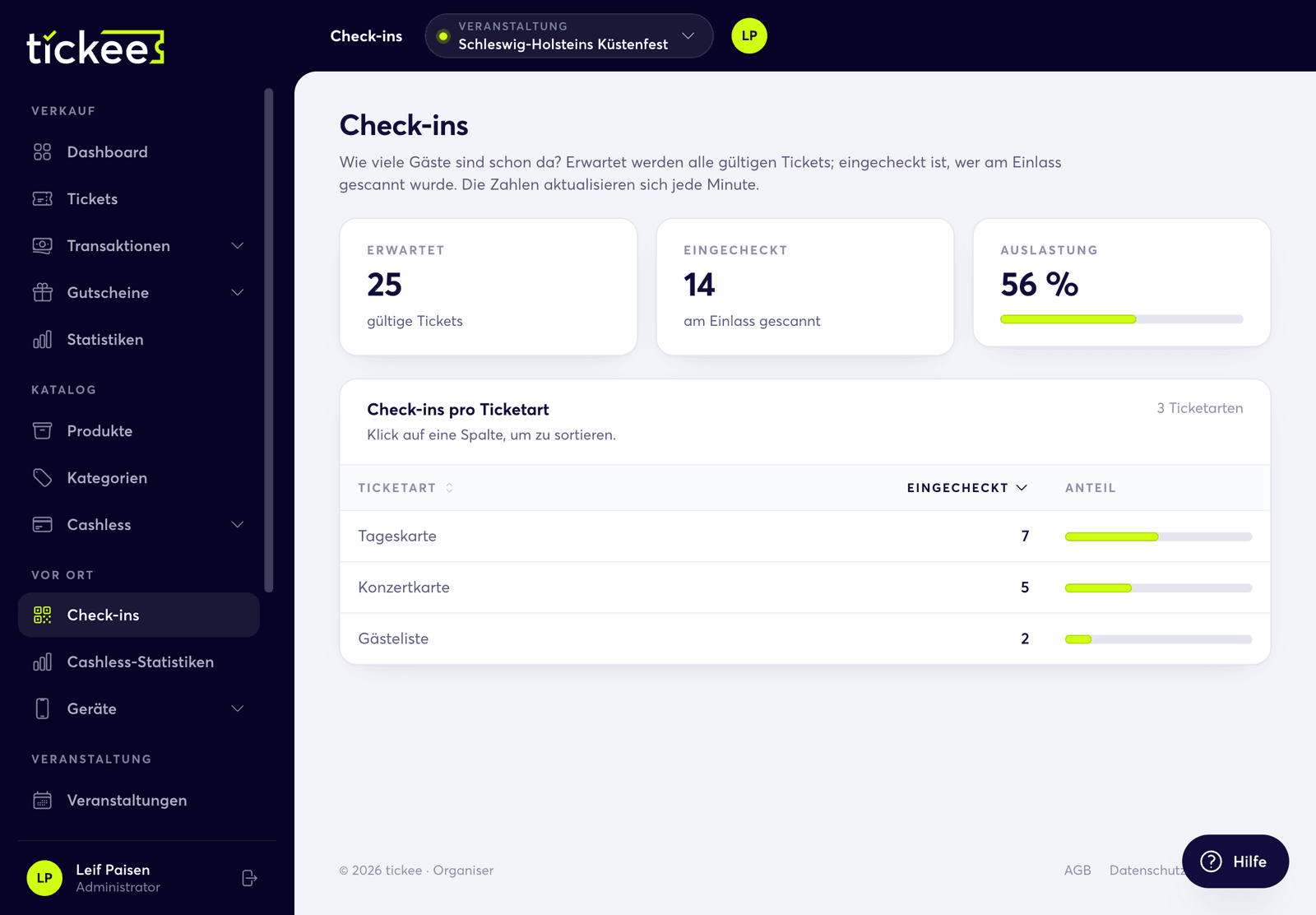
Who is already here?
Expected, checked in, capacity: the check-ins count every scanned ticket and break it down by ticket type. The figures update every minute.
- Capacity as a percentage of all valid tickets
- Check-ins per ticket type, sortable
- On your phone just as on your computer
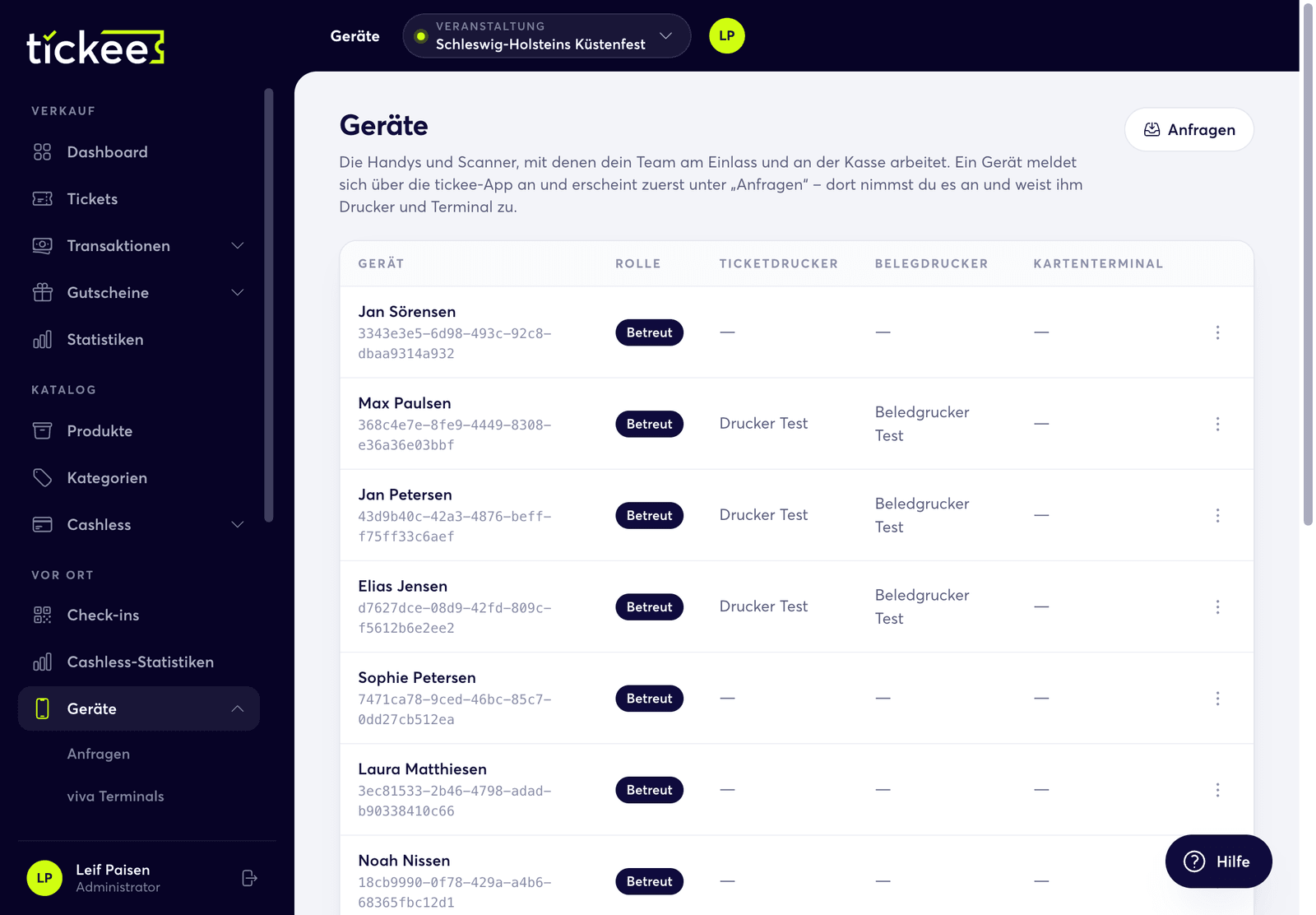
Scanners and tills in one list
Every phone that signs in with the tickee app shows up under requests. You accept it and assign it a ticket printer, receipt printer and card terminal.
- Accept new devices before they are allowed to scan
- Assign printers and terminal per device
- Role and assignment of each device at a glance
Access control is just one part of it.
At tickee, ticket, access and credit belong together. Badges and wristbands are assigned automatically at the scan.
More on access control.
Practical knowledge from our events: concrete figures and processes around access control.
Ready for access control that just works?
A free 30-minute initial consultation. We work out the numbers for your gate and tell you how many scanners you need.
tickee GmbH